


World of Books
4.343.00 Reviews
App Specs
- Version
- 80
- Updated On
- License
- Free
- Downloads
- 100,000+
- Developer
- World of Books
- Categories
- Books & Reference
- Platform
- Android
Screenshots

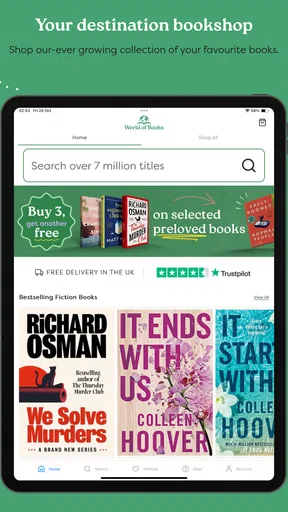
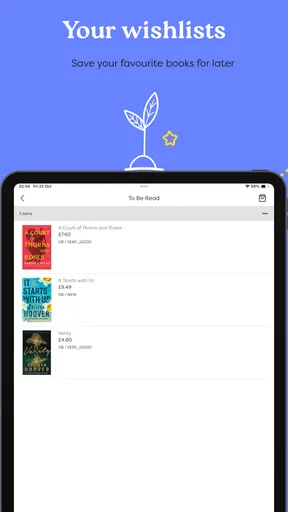
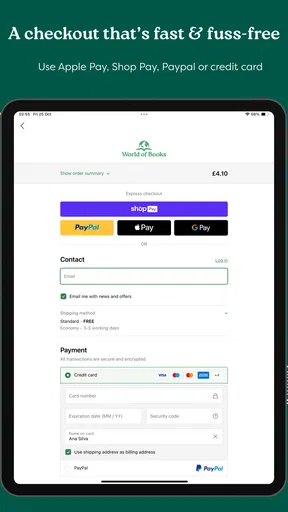
 Analysis by AppCompare
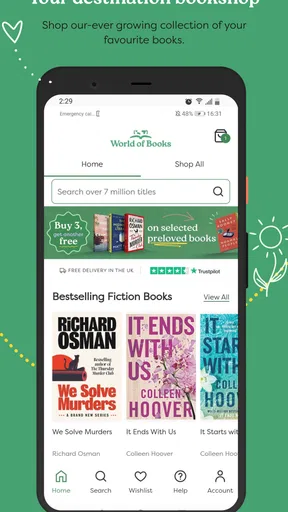
I usually judge a book-shopping app by what happens after the first browse. Finding an attractive cover is easy; returning a month later, locating something worthwhile, and completing a purchase without unnecessary friction is the real test. World of Books, developed by World of Books, is a free Books & Reference app focused on new and used books. My first impression was straightforward rather than flashy: it is built for people who want to explore a broad reading catalogue and consider second-hand copies alongside new ones.
That focus gives the app a clear purpose. It is not trying to replace an e-reader, organize my personal library, or become a social network for book discussions. I use it more like a mobile bookshop, especially when I already know an author, title, or subject I want to investigate. The useful question is whether that simple role remains valuable once the initial curiosity wears off. In my experience, it can, but its lasting usefulness depends on how deliberately I search and how much convenience I expect from a shopping app.
From easy browsing to a dependable reading habit
I look at the route from casual browsing to a lasting reading habit as a question of fit: does a book-shopping app help me make thoughtful choices, or simply invite more browsing? Here, the most useful approach is to give each visit a small purpose, whether I’m replacing a well-loved copy or following a recommendation. That practical starting point leads into how readable and manageable the experience feels.
Why the first week feels worthwhile
During the first few sessions, the appeal comes from the freedom to browse without committing to a single type of reader. I can move from fiction to reference material, then look for a familiar classic or a book I missed when it was first published. That makes the app useful for a relaxed evening search, but also for a more practical task such as building a reading list for a course, planning holiday reading, or finding a replacement for a worn-out copy.
The presence of both new and used books is more important than it may sound. It changes the way I make decisions. Instead of asking only whether a title is available, I can think about whether I need a pristine edition, whether a used copy is perfectly acceptable, and whether an older book is worth adding at all. For readers who enjoy browsing second-hand shelves, that mindset feels more natural than using an app that presents every book as an identical new product.
I also appreciate that the app is free to install and carries an Everyone age rating. That makes it approachable for a household where different people may be looking for very different kinds of books. A parent can use it to explore children’s reading, a student can search for reference material, and an adult reader can investigate novels without needing separate accounts or a specialized reading device simply to browse.
The early experience is strongest when I arrive with a purpose. Searching for a particular author, title, or topic gives the app a clear job, and the new-versus-used angle adds a useful decision point. Browsing with no idea what I want is less compelling because a book catalogue can become endless quickly. I would not install it expecting the same editorial discovery experience as a dedicated reading community or a carefully curated newsletter.
Worth Reading Before You Choose

EA SPORTS FC Mobile 26 Is a Bigger Football Game, but It Takes Time

Flipboard Shows What News Apps Must Do Beyond the Feed

Switching to Android Auto Means Rethinking Your Driving Routine

Google Calendar Makes a Crowded Week Easier to Manage

Ludo King Makes the Most of the Minutes Between Plans

Baby Panda World Brings Quick Play to Modern Phones, but Its Game Library Feels Busy
A realistic everyday use case
One situation where I can see myself returning is preparing for a weekend trip. I might remember that I want a light mystery, a travel guide, and perhaps a short history book. Rather than visiting several shops, I can use the app to check familiar titles, compare the appeal of new and used copies, and make a shortlist before deciding what deserves space in my bag.
Another practical workflow is replacing a book I already own. If a paperback has been damaged or a family member wants the same title, I can begin with the exact name and then consider whether a used copy is enough. This is a better use of the app than aimless scrolling because I already know the outcome I want. It also reduces the temptation to buy an appealing but unnecessary book simply because the cover looks good.
For students, the app may be most useful at the planning stage. I would use it to identify possible titles, check whether a book is worth pursuing in physical form, and keep a small list of candidates before finalizing a reading plan. I would still verify the exact edition required by a teacher or institution, because a general search for a title is not the same thing as confirming that a particular edition matches an assignment.
What keeps it relevant from month to month
Long-term value comes from repeated reading needs rather than constant novelty. A person who regularly buys physical books, collects particular authors, or enjoys used-book hunting has a reason to return. The app can become a convenient first stop whenever a recommendation arrives, a reading challenge creates a gap, or a familiar title suddenly becomes interesting again.
I find this more sustainable than an app that depends entirely on daily entertainment. I do not need to open it every day for it to be useful. Its recurring value is occasional and task-based: search when I need a book, browse when I have time, and return when another reading decision appears. That is a healthy pattern for a shopping tool, although it means the app may feel unnecessary to someone who buys books only once or twice a year.
The public response suggests that the app has gained a modest but meaningful audience, with an average rating of 4.3 from around 600 ratings and more than 40 written reviews. I treat that as encouraging rather than conclusive. It tells me that the basic experience works well for many users, but it does not remove the need to decide whether its particular approach fits my buying habits.
The current release is version 80, which gives me the impression of an actively maintained product rather than a forgotten catalogue shortcut. Still, version numbers alone do not guarantee that every part of the experience will suit every phone or every browsing style. The practical test is whether searches, product exploration, and the path from interest to purchase remain comfortable during ordinary use.
Small habits that make the app more useful
My first tip is to search in layers. I begin with the exact title or author, then broaden to a subject only if the result is not what I need. This prevents a large catalogue from turning a simple errand into an unplanned hour of browsing. When I am exploring rather than shopping, I set a clear goal such as finding three possible books, not finding the perfect book immediately.
My second tip is to separate discovery from decision-making. I may use the app to identify a title, but I do not automatically buy the first version I see. I consider whether I want new or used, whether the book is for collecting or ordinary reading, and whether the edition matters. This is especially useful for reference books, textbooks, illustrated works, and titles where format can affect the experience.
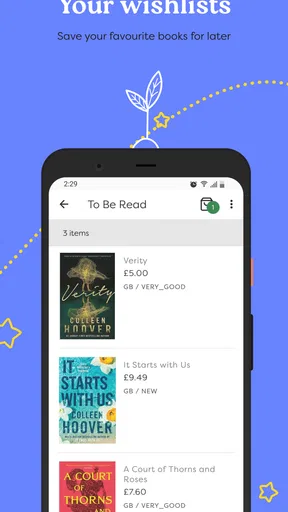
A third useful habit is maintaining a short personal shortlist outside the moment of browsing. I can note the authors or subjects that repeatedly interest me, then return later with a more focused search. This avoids relying on impulse and makes the app more valuable over time. It also exposes an important trade-off: the app can support my reading routine, but I still need my own system for remembering what I found and why it mattered.
The maintenance burden is low, but not zero
World of Books does not demand the kind of daily attention associated with social or entertainment apps. I do not need to build a public profile or keep feeding it content to preserve its usefulness. That is a major reason I can imagine leaving it installed. It serves me when I need books and stays out of the way when I do not.
However, low maintenance does not mean no maintenance. My own lists, notes, and reading intentions can become scattered if I treat every interesting result as an immediate purchase. I get better results when I keep searches purposeful and periodically remove titles that no longer fit my interests. The app can help me find books, but it cannot decide which unfinished reading projects deserve another chance.
There is also a basic physical-book commitment to consider. Finding a book is only one part of the experience; I still need room to store it, time to read it, and a plan for titles I no longer want. That makes the app a poor match for someone trying to move entirely toward digital reading or reduce household clutter. In that case, an e-book store, library app, or audiobook service may be a better long-term companion.
Compatibility is reasonably broad because the app supports Android devices from version 7.1 onward. That matters for readers using older phones who do not want to upgrade hardware just to browse books. On newer devices, I would still judge it by responsiveness and ease of navigation rather than by compatibility alone. A supported phone is helpful, but it does not automatically make every search pleasant.
Where fatigue can appear
The first source of fatigue is catalogue choice. New and used inventory sounds inviting, but a large selection can create hesitation instead of clarity. If I approach the app without a subject, author, or reading goal, I may spend more time comparing possibilities than actually choosing a book. That is not a flaw unique to this service, but it is something I notice more in a shopping app built around browsing.
The second is the difference between discovering a title and evaluating it properly. A book’s name and cover may be enough for a casual purchase, but not for a technical manual, academic work, or collectible edition. I would want to check publication details, format, condition, and relevance before committing. The app is most comfortable as part of that process, not necessarily as the only source of judgment.
Used books introduce another layer of uncertainty for readers who care about presentation. A reader who simply wants the text may welcome a cheaper or older copy, while someone buying a gift may prefer a cleaner, more uniform edition. This is where my expectations matter. I would choose the app confidently for everyday reading, but I would be more cautious when condition, exact printing, or matching a set is central to the purchase.
There is also a psychological fatigue that comes from turning every recommendation into a shopping task. I enjoy books more when I alternate between searching for something specific and reading what I already own. If I use the app constantly to chase the next title, it can encourage accumulation rather than reading. My solution is to open it when I have a genuine gap in my reading plans, not whenever I feel briefly bored.
How it compares with familiar alternatives
Compared with visiting a physical bookshop, the app saves travel and makes it easier to begin with a precise title. A shop still wins for tactile browsing, immediate visual inspection, and the pleasant surprise of finding something outside my planned search. I see World of Books as a useful complement rather than a complete replacement for that experience.
Compared with a library app, it serves a different purpose. A library is usually the better choice when I want to borrow, reduce spending, or avoid adding another physical object to my home. World of Books is more suitable when I want to own a particular book, look for a used copy, or build a personal collection. Readers should decide whether ownership or access matters more before making it part of their routine.
Compared with a general online marketplace, the focused book identity is an advantage. I am not searching through unrelated products, and the app’s purpose remains clear. A larger marketplace may offer more ways to compare sellers or combine different purchases, but it can also make book discovery feel secondary. I prefer World of Books when my entire task is about books rather than shopping in general.
Compared with an e-reader store, the distinction is even sharper. An e-reader store is better when I want instant digital delivery, adjustable text, and no shelf space. This app is better when I value physical ownership, used-book possibilities, or the feeling of building a real collection. Neither approach is universally superior; the right choice depends on whether convenience of access or the physical object matters more to me.
Who should keep it installed?
I think it earns a lasting place on the phone of regular physical-book buyers, second-hand shoppers, collectors with flexible edition preferences, and readers who often receive recommendations from friends. It is also useful for families and students who need a broad book-search tool without paying merely to install it. The Everyone rating makes it easy to consider across age groups, although individual book choices still require normal parental or personal judgment.
I would be less enthusiastic for someone who reads almost exclusively through subscriptions, borrows everything from a library, or wants a highly social way to discuss books. I would also skip it if my main requirement were instant digital reading, detailed academic citation management, or an elaborate personal library database. Those needs call for more specialized tools.
My lasting verdict is positive, with a clear condition: use it as a focused book-finding companion, not as an endless source of shopping stimulation. The first-week appeal is easy to understand, but the stronger case appears later, when I return for a specific title, a replacement copy, or a carefully chosen used book. Its maintenance burden stays low, provided I control my own lists and buying habits.
After the novelty fades, World of Books remains useful because its purpose is narrow and repeatable. It helps turn a reading intention into a practical search, while leaving room to choose between new and used books. I would recommend it to a friend who buys physical books and enjoys making deliberate discoveries. I would not recommend it as a universal reading app, but within its role, its recurring value comes from making the next worthwhile book easier to find.
Pros
- Large selection of new and used books across many genres.
- Used titles can offer significant savings compared with retail prices.
- Easy browsing with search
- categories
- and detailed book listings.
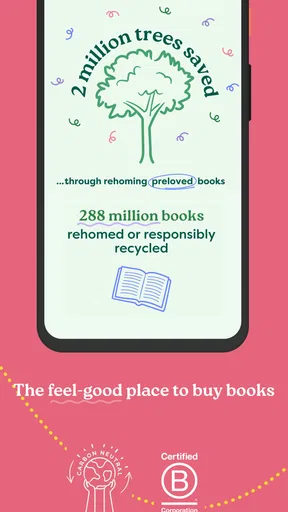
- Supports more sustainable reading by giving pre-owned books a second life.
- Books can be ordered from the convenience of a mobile device.
Cons
- Book condition may vary
- especially for used copies.
- Some popular or older titles may be temporarily unavailable.
- Delivery times can differ depending on stock and destination.
- International shipping options and costs may be limited.
- The app may feel less useful for users who prefer ebooks or audiobooks.
FAQs for World of Books
What is World of Books and what can I use it for?
World of Books is an online bookstore app and shopping platform focused mainly on pre-owned books, with a selection that may also include new titles, audiobooks, films, music, and other media depending on your region. After browsing by title, author, genre, or format, you can view product details, check prices, and place an order for delivery. It is especially useful for readers looking for affordable books and hard-to-find editions.
Are the books sold through World of Books new or used?
Most books available through World of Books are pre-owned, so their condition can vary from item to item. Product listings generally provide a condition description, but used copies may show signs such as shelf wear, creased covers, annotations, or other minor imperfections. If appearance is important to you, read the listing carefully before ordering and remember that the exact copy shown may not always be the one shipped.
Can I search for specific books and check their condition before buying?
Yes. World of Books allows you to search by book title, author, ISBN, or related keywords, making it practical for finding both popular releases and older editions. Before purchasing, review the format, edition, language, price, availability, and stated condition. Checking these details is particularly important for textbooks, collectible editions, boxed sets, and books where the cover or publication year matters.
Does World of Books offer delivery, returns, and order tracking?
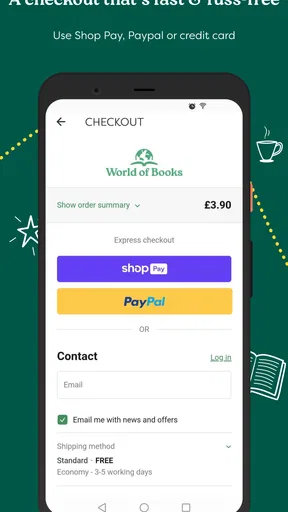
Delivery options, estimated arrival times, shipping costs, tracking availability, and return rules depend on your country, the product, and the current store policy. During checkout, review the delivery information carefully, including whether your order qualifies for free shipping. If an item arrives damaged, is substantially different from its description, or does not arrive, contact customer support promptly and keep your order details and packaging.
Is World of Books safe to use, and do I need an account to place an order?
World of Books is designed as a standard online shopping service, with account and checkout features for purchasing books and other listed products. You may be able to browse without registering, while an account can make it easier to manage addresses, review orders, and track purchases. Before paying, confirm that the website or app is official, check the final total, and use a secure payment method.


